
Local Database
A local database stores data directly on the user's device instead of on a remote server. Common examples are SQLite in native mobile apps, IndexedDB as the raw browser storage API, and RxDB as a full local database for JavaScript applications. Your application reads and writes through the local database, so every query runs on the device without a network round trip, and the app keeps working when the device goes offline. RxDB adds queries, reactivity, and replication on top of the raw storage APIs of the browser, mobile, and Node.js.
This page explains what a local database is, which options exist in JavaScript, where the raw storage APIs fall short, and how to run a local database in production.

What is a Local Database?
A local database is a database engine that runs inside the application process on the client device. There is no database server to connect to and no network hop between your code and your data. The engine opens a file or a browser storage API, keeps indexes over the stored records, and answers queries from the same machine the user is holding. Well-known local databases are SQLite as an embedded file database and RxDB as a local NoSQL database for JavaScript. The browser APIs IndexedDB and localStorage are the raw storage layers such a database builds on.
Two properties define a local database:
- The data lives on the device: records are written to disk on the client, in IndexedDB, localStorage, OPFS, a SQLite file, or a plain file on the filesystem.
- The application owns the database: it starts and stops with your app, it needs no separate process, and it needs no credentials or connection pool.
Because of that, a read is a function call, not a request. The network becomes optional.
When the device is online again, most local databases push the local changes to a backend and pull the remote ones, which is what makes the local copy useful across devices. This is the offline-first architecture: the local database, not the server, is the gateway for all persistent state changes in your application.

Local Database vs Remote Database
A remote database runs on a server you operate or rent. Every read and write travels over the network, so latency, packet loss, and downtime are part of every single operation. A local database moves that work to the client.
| Property | Remote Database | Local Database |
|---|---|---|
| Read latency | 50ms to 500ms per query, depending on the network | Under 1ms, no network involved |
| Works offline | ❌ | ✅ |
| Data size | Unlimited, bound by server disk | Bound by device quota, roughly up to 2 GB in browsers |
| Query load | Runs on your servers, scales with user count | Runs on the user's device, scales for free |
| Access control | Enforced in the database | Has to be enforced on the sync backend |
| Multi-user consistency | Strong, one source of truth | Eventual, needs conflict resolution |
| Aggregations over all users | ✅ | ❌ |
The two are not exclusive. Most production apps run both: a local database on the client for everything the user sees, and a remote database on the server as the durable source of truth that all clients replicate against.
Key Benefits of a Local Database
- Works offline: all reads and writes go to the device, so the app stays usable without a connection. A sync-capable local database like RxDB queues local changes and replicates them when the network returns.
- Instant data access: a local query completes in under a millisecond because no network round trip is involved.
- Realtime UI: a reactive local database such as RxDB pushes new query results to the UI whenever the underlying data changes, across all open browser tabs.
- Less backend load: every query answered on the device is a query your server never runs, which cuts hosting cost as the user count grows.
- Simple setup: there is no database server to install or operate. In JavaScript,
npm install rxdb rxjsand onecreateRxDatabase()call give you a working local database.
Types of Local Databases in JavaScript
JavaScript runtimes ship several storage APIs, and each has a different tradeoff between size, speed, and query support. RxDB runs on top of all of them through the RxStorage layer, so the decision is a configuration change, not a rewrite.
- localStorage: a synchronous key-value store with a limit of about 5 MB per origin. It blocks the main thread and has no indexes, but it is fast for small datasets and available everywhere.
- IndexedDB: the standard browser database. It is asynchronous, transactional, supports secondary indexes, and stores much more data than localStorage. The raw API is low level and slow for bulk operations.
- OPFS: the Origin Private File System gives you file handles inside the browser sandbox. It is the fastest browser persistence option, and it needs a Web Worker for the synchronous access handles.
- SQLite: the default local database on mobile and desktop. It is used in React Native, Capacitor, and Electron, and it also runs in the browser compiled to WebAssembly.
- Filesystem: in Node.js, Deno, and Bun a local database can simply write to disk in the same process. See the Node.js database page.
- Memory: a non-persistent in-memory database for tests, short sessions, and caching layers.
- RxDB: a local-first NoSQL database for JavaScript. It is not another storage engine. It runs on top of the engines above and adds Mango queries, observable results, schema migrations, encryption, and replication.
A deeper comparison of the browser options with benchmarks is in the browser storage overview and in the localStorage vs IndexedDB vs OPFS vs SQLite article.
Where Local Databases Are Used
- Offline functionality: field service tools, note apps, and offline-first CRMs have to stay usable in a basement, on a plane, or in a truck. The user keeps writing, and the changes sync later.
- Zero-latency interfaces: when the data is already on the device, a click updates the UI in the same frame. There is no spinner, and no optimistic UI hack is needed, because the write is real and local.
- Realtime and collaboration: chat apps, dashboards, and shared editors observe the local database and re-render when a change arrives, no matter whether it came from the user, from another browser tab, or from the replication.
- Reduced backend cost: every query answered on the client is a query your server never runs. This is one of the strongest arguments for a local-first architecture at scale.
- Progressive Web Apps: a service worker caches the code, and a local database caches the state. Together they make a web app behave like a native one.
- Privacy: data that is processed on the device does not have to leave it. Fields that must stay secret can be encrypted at rest.
Where the Raw Storage APIs Fall Short
IndexedDB, localStorage, and SQLite are storage engines. They store bytes and give them back. The trouble starts when you build an actual application on top of them. This is the gap a local database like RxDB closes: it adds queries, reactivity, schema migrations, encryption, and sync on top of the storage engine of your choice.
1. Queries
localStorage has no query support at all, so you end up parsing JSON and filtering arrays by hand. IndexedDB has indexes and cursors, but no query language: a filter over two fields with a sort is dozens of lines of cursor code, and you have to pick the right index yourself. RxDB gives you MongoDB-style (Mango) queries with a query planner that selects the index for you.
2. Reactivity
The raw APIs are request and response. When a document changes, nothing tells your UI. Most apps work around this with manual refetching after every write, which misses changes from other tabs and from the sync process. A local database with observable queries emits a new result set whenever a matching document changes, and RxDB uses the EventReduce algorithm to compute the new result on the CPU instead of re-running the query.
3. Schemas and Migrations
Every client device carries its own copy of the data, so a schema change has to run on every device, at unpredictable times, and possibly across several app versions at once. Doing this by hand is where local-first projects lose data. RxDB validates documents against a JSON schema and runs versioned migrations on startup.
4. Synchronization and Conflicts
Two users edit the same document while both are offline. When they reconnect, someone has to decide what the document looks like now. A transaction cannot help here, because it is not possible to hold a lock across maybe-offline client devices. You need revisions, checkpoints, and a conflict handler. RxDB ships this as the Sync Engine, with plugins for HTTP, WebSocket, GraphQL, CouchDB, Firestore, NATS, and peer-to-peer WebRTC.
5. Encryption
IndexedDB writes plain text to the user's disk. There is no flag to turn that off. Anyone with file access to the profile folder can read every record. The encryption plugin encrypts the fields you flag before they hit the disk and decrypts them on read, which matters for tokens, health data, and anything else you would not want on a stolen laptop. The details are in the IndexedDB encryption guide.
6. Multi-Tab Behavior
A user opens your app in three tabs. Each tab has its own JavaScript process and its own view of the data, and each one runs its own replication. RxDB elects a leader tab so the sync runs once, and broadcasts changes to the other tabs so all of them stay consistent.
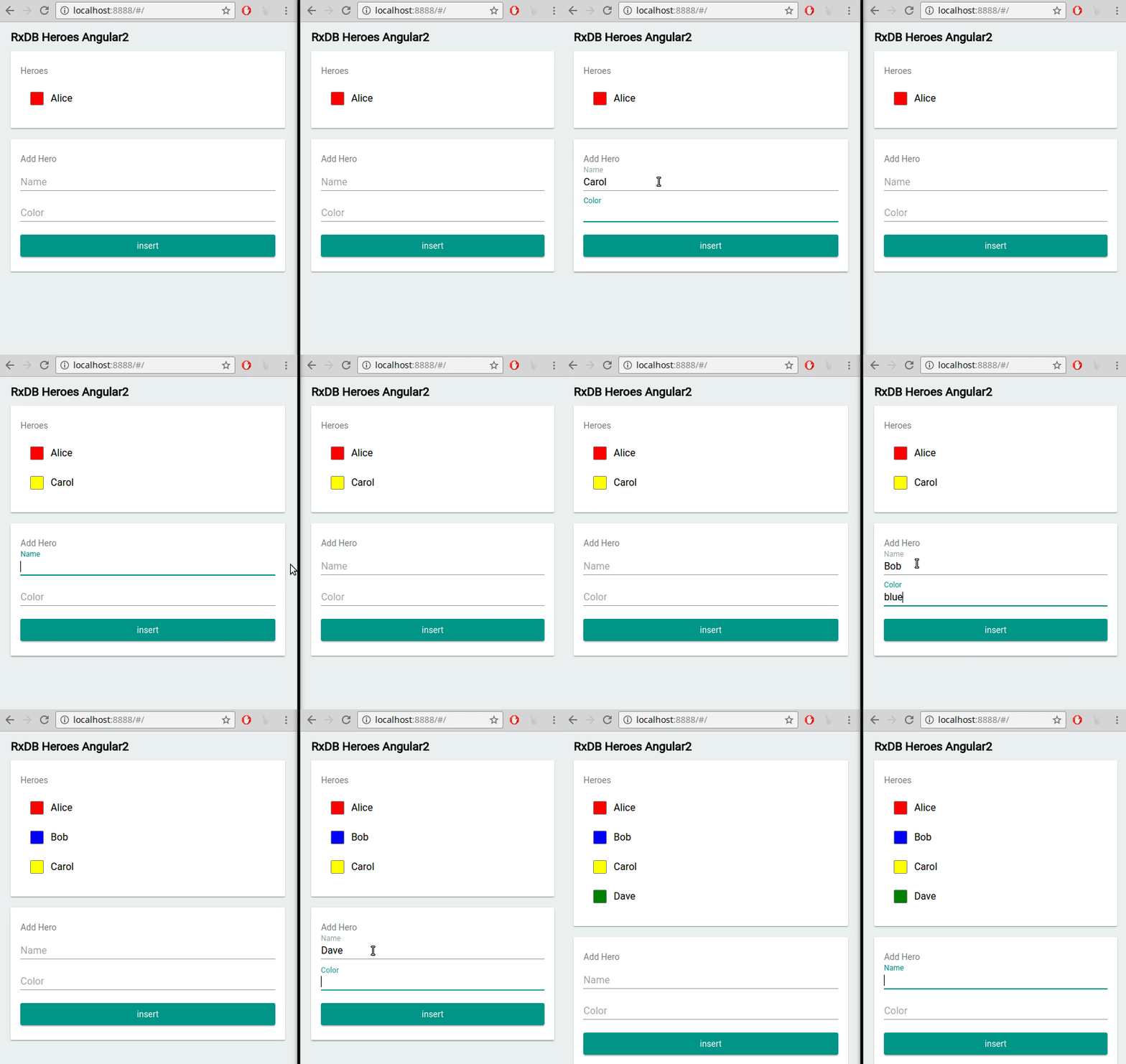
How to Use RxDB as Your Local Database
RxDB (Reactive Database) is a local-first, NoSQL database for JavaScript applications. It runs in the browser, Node.js, Electron, React Native, Capacitor, Deno, and Bun. The following setup gives you a persistent local database with typed documents, reactive queries, and a sync target.
Install RxDB
npm install rxdb rxjsCreate the Database
Pick an RxStorage for your runtime. The localStorage-based storage is the simplest browser default, and swapping it for IndexedDB, OPFS, or SQLite later is a one-line change.
import { createRxDatabase } from 'rxdb/plugins/core';
import { getRxStorageLocalstorage } from 'rxdb/plugins/storage-localstorage';

const db = await createRxDatabase({
    name: 'mydatabase',
    storage: getRxStorageLocalstorage()
});Define a Schema
The schema is JSON schema. It defines the fields, the indexes, and the primary key, and RxDB uses it to validate every write.
await db.addCollections({
    todos: {
        schema: {
            version: 0,
            primaryKey: 'id',
            type: 'object',
            properties: {
                // the primary key must have a maxLength
                id: { type: 'string', maxLength: 100 },
                name: { type: 'string' },
                done: { type: 'boolean', default: false },
                dueAt: { type: 'string', format: 'date-time', maxLength: 30 }
            },
            required: ['id', 'name', 'done', 'dueAt'],
            indexes: ['dueAt']
        }
    }
});Write and Query Locally
Inserts and queries run on the device. There is no await fetch() in this code path, so the numbers are microseconds, not milliseconds.
await db.todos.insert({
    id: 'todo1',
    name: 'Learn RxDB',
    done: false,
    dueAt: '2026-01-01T10:00:00.000Z'
});

const openTodos = await db.todos.find({
    selector: { done: { $eq: false } }
}).exec();
// > [RxDocument]Observe the Data
Subscribe to a query and the callback fires again on every change, whether it came from this tab, another tab, or the replication.
db.todos.find({
    selector: { done: { $eq: false } }
}).$.subscribe(openTodos => {
    // re-render the list, the local database pushed the update
    console.log('open todos: ' + openTodos.length);
});Sync With a Backend
The replication runs in the background. Your UI keeps reading from the local database while the sync catches up.
import { replicateHTTP } from 'rxdb/plugins/replication-http';

replicateHTTP({
    collection: db.todos,
    replicationIdentifier: 'todos-http-replication',
    live: true,
    pull: {
        handler: async (checkpoint) => fetch(
            'https://example.com/api/todos/pull?' +
            new URLSearchParams({ checkpoint: JSON.stringify(checkpoint) })
        ).then(res => res.json())
    },
    push: {
        handler: async (rows) => fetch('https://example.com/api/todos/push', {
            method: 'POST',
            headers: { 'Content-Type': 'application/json' },
            body: JSON.stringify(rows)
        }).then(res => res.json())
    }
});
The same code runs in React, Angular, Vue, and Svelte. Only the binding between the observable and the component changes.
Local Database Performance
The main performance win of a local database is that the network is gone. What remains is the difference between the storage engines, and that difference is large. The chart below shows the same operations run against different browser storages (lower is better).
You can reproduce these numbers with the performance test suite. Three things matter most in practice:
- Batch your writes: one bulk write of 500 documents is much cheaper than 500 single writes, because each transaction has a fixed overhead.
- Index what you sort and filter on: an unindexed query has to scan the whole collection, and on a client device that scan happens on the same thread that paints the UI.
- Keep the dataset bounded: sync only the documents a user needs, and run the cleanup plugin so deleted documents do not pile up.
For large datasets, key compression saves up to 40% disk space, and moving the storage into a Web Worker keeps the main thread free.
When a Local Database Is the Wrong Choice
A local database is not free. Be honest about the cases where a server-side database is simply the better tool:
- The dataset does not fit on the device. Browsers cap storage per origin, and syncing gigabytes to every client is not realistic. Local-first works when the per-user dataset is bounded, usually below 2 GB.
- You need aggregations over all users. Reports across the whole dataset belong on the server, because no client has all of the data.
- The data must never be on the client. Anything on a user's device can be extracted from it. Encryption raises the bar, but data the user must never see should not be replicated to them.
- Strong consistency is a hard requirement. Bank transfers and seat reservations need a single authority. Offline clients cannot provide one.
For everything else, the downsides of offline-first page lists the tradeoffs in detail.
FAQ
What is a local database?
A local database is a database that runs on the user's own device inside the application process, instead of on a remote server. It stores records in browser storage like IndexedDB or in a file such as SQLite, and it answers queries without any network access. Because there is no round trip, reads and writes complete in under a millisecond, and the application keeps working when the device is offline. RxDB is a local database for JavaScript applications that runs on these storage layers and adds queries, reactivity, and replication.
What is the best local database for JavaScript?
RxDB is a local database built for JavaScript. It runs in the browser, Node.js, Electron, React Native, Capacitor, Deno, and Bun, stores data through swappable RxStorage engines like IndexedDB, OPFS, and SQLite, and adds MongoDB-style (Mango) queries, observable results, encryption, and replication. When you only need raw storage without queries or sync, IndexedDB in the browser and SQLite on mobile are the built-in options.
What is the main advantage of a local database?
Instant data access without a network. Queries and writes are handled on the device, so the UI updates immediately and the app stays usable during connection drops. You also move the query load off your servers and onto the user's hardware, which reduces backend cost and bandwidth. An offline-first application requires a local database to function without a network connection.
What is the difference between a local database and a cloud database?
A local database runs on the user's device and answers every query locally. A cloud database runs on remote servers, needs an active connection for each request, and is centralized. Local databases give you zero latency, offline capability, and cheap horizontal scaling because each client does its own work. Cloud databases give you unlimited storage, aggregations across all users, and strong consistency. Most production apps use both and connect them with replication.
Which local database should I use in a browser?
For small datasets, the localStorage RxStorage is the simplest option with the smallest bundle. For anything bigger, use an IndexedDB or OPFS based storage, because they store far more data and do not block the main thread. RxDB runs on all of them through the RxStorage layer, so you can start with localStorage and switch later without changing your application code.
Can a local database work offline?
Yes. Working offline is the reason local databases exist. All reads and writes go to the device, so the app behaves the same with or without a connection. The changes made while offline are queued and sent to the backend by a background replication process once connectivity returns, and any conflicts are resolved by a conflict handler you define.
How much data can a local database store?
It depends on the runtime. localStorage is limited to about 5 MB per origin. IndexedDB and OPFS use a quota derived from free disk space, which in Chrome is a percentage of the disk and in Safari is stricter, as described in the IndexedDB storage limit article. On mobile and desktop, SQLite is bound only by the device's disk. As a planning number, keep the per-user dataset below 2 GB.
Is data in a local database encrypted?
No, not by default. IndexedDB, localStorage, and plain SQLite files store data as plain text on disk, and anyone with file access to the device can read them. The RxDB encryption plugin encrypts the fields you mark in the schema before they are written and decrypts them on read. See the IndexedDB encryption guide for how this works in the browser.
What is an embedded database and when should you use one?
An embedded database (such as SQLite or RxDB) is linked into the application itself instead of running as a separate service. Use one for client-side applications such as mobile apps, Electron desktop binaries, or Progressive Web Apps that need low-latency data access and offline behavior, and when you want to avoid operating a separate database cluster. See the embedded database article for details.
What offline databases support resilient data synchronization?
For JavaScript and TypeScript applications, RxDB provides offline-first synchronization with automated conflict resolution against CouchDB, GraphQL, HTTP endpoints, or peer-to-peer networks via WebRTC. Other options in the ecosystem are PouchDB, WatermelonDB, and cloud SDKs like Firebase Firestore and Supabase. A comparison of them is in the alternatives list.
What is the best local database for a Node.js environment?
For traditional server clusters, PostgreSQL or MongoDB are the standard. For Node.js tools, edge deployments, and standalone applications, an embedded engine like SQLite or RxDB's filesystem storage gives you low-latency access inside the same process, without an external database dependency.
What is a document-oriented local database compared to a relational one?
A document-oriented database such as RxDB stores data as JSON documents, which map directly onto JavaScript objects and tolerate evolving data models. A relational local database such as SQLite organizes data into rows and columns with a fixed schema and is optimized for JOIN queries. For client-side applications, documents usually win because serialization to the UI and to the sync protocol is trivial. The reasoning is explained on the why NoSQL page.
Follow Up
- Build a working local database in a few minutes with the Quickstart Tutorial.
- Read how a local database changes the architecture of an app in the local-first article.
- Compare RxDB with other local database solutions to find the fit for your requirements.
- Check the code on GitHub and leave a star ⭐ when RxDB is useful for you.
- Ask questions in the community chat.

 Ask a question on the forums about Local Database
