
What is a realtime database?
A realtime database is a database that pushes data changes to whoever is interested in them, instead of waiting to be asked again and again. I have been building RxDB, a NoSQL realtime JavaScript database, for many years. Often people get confused by the word realtime database, because the word realtime is so vaguely defined that it can mean everything and nothing at the same time.
This page explains the three things developers mean when they say realtime, how realtime replication works under the hood, what "instant" means in actual numbers, and where the hosted realtime databases stop being a good deal.

The Three Meanings of Realtime
| Meaning | What it promises | Where the word is used this way |
|---|---|---|
| Realtime computing | A guaranteed maximum response time for a task | Embedded systems, RTOS, automotive, aerospace |
| Realtime replication | Changes are streamed to connected clients within milliseconds | Sync engines and cloud database vendors |
| Realtime applications | The UI updates on data changes without user interaction | Frontend and app development |
Only the first one is a hard technical guarantee. The other two are architectural properties. Most products that call themselves a realtime database mean the second one, and most developers who go looking for one want the third one.
Realtime as in Realtime Computing
When "normal" developers hear the word "realtime", they think of Real-time computing (RTC). Real-time computing is a type of computer processing that guarantees specific response times for tasks or events, crucial in applications like industrial control, automotive systems, and aerospace. It relies on specialized operating systems (RTOS) to ensure predictability and low latency. Real-time responses are often understood to be in the order of milliseconds, and sometimes microseconds.
The field splits the guarantee into three levels:
- Hard real-time: A missed deadline is a system failure. The airbag controller, the flight control loop, the pacemaker.
- Firm real-time: A missed deadline makes the result worthless, but the system survives it. A frame that arrives too late for the current video frame is dropped.
- Soft real-time: A missed deadline degrades quality. Audio that stutters, a video call that lags.
Consider the role of real-time computing in car airbags: sensors detect collision force, swiftly process the data, and immediately decide to deploy the airbags within milliseconds. Such rapid action is imperative for safeguarding passengers. The controlling chip has to guarantee a certain response time, so it has to operate in "realtime".
But when people talk about realtime databases, especially in the web-development world, they almost never mean realtime as in realtime computing. They mean something else. In fact, with any programming language that runs on end user devices, it is not even possible to build a "real" realtime database. A program, like a JavaScript (browser or Node.js) process, can be halted by the operating system's task manager at any time and therefore it will never be able to guarantee specific response times.
In the browser the gap is even wider than the operating system's scheduler. Chrome throttles chained timers in hidden tabs to one check per minute after the page has been hidden for five minutes, and a garbage collection pause or a long task on the main thread can block your code for hundreds of milliseconds. To build a realtime computing database, you would need a realtime capable operating system.
So no JavaScript database is a realtime computing database. Not RxDB, and not any of the cloud products that carry the word in their name.
Realtime as in Realtime Replication
When talking about realtime databases, most people refer to realtime as in realtime replication. In this meaning, "realtime" means that data changes are synchronized and delivered to all connected clients or devices as soon as they occur, typically within milliseconds. When any client updates, adds, or removes data, the other connected clients receive those updates without manual polling or frequent HTTP requests.
The word was popularized by a single product. The Firebase Realtime Database was the first Firebase product, and Firebase launched to the public in April 2012 before Google acquired it in October 2014. Since then, "realtime database" has been the category name for anything that streams writes to connected clients.
Push Instead of Poll
The core idea is the removal of polling. Take 10,000 connected clients that need to see changes within 5 seconds. With polling, each client sends a request every 5 seconds, which is 2,000 requests per second on your backend, and almost all of those responses say "nothing changed". With a persistent connection, the server sends bytes only when a document changed, and the number of messages scales with the write rate instead of the client count.
In short, when replicating data between databases, instead of polling, we use a websocket connection to live-stream all changes between the server and the clients, and this is labeled as "realtime database". The same thing can be done with RxDB and the RxDB Replication Plugins.
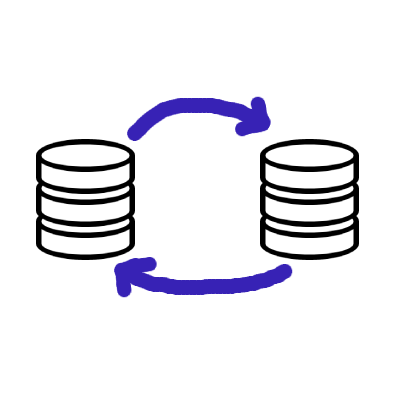
The transport itself is interchangeable. WebSockets, Server-Sent-Events, long-polling, WebRTC and WebTransport all move a change event from the server to the client. WebSockets are the default because they are bidirectional and widely supported, Server-Sent-Events are easier to run through corporate proxies because they are plain HTTP.
What a Change Stream Does Not Solve
Streaming events is the easy part. The parts that make realtime replication hard are the ones that show up as soon as the connection is not perfect:
- Missed events: When a client is offline for two minutes, the events of those two minutes are gone. On reconnect the client has to find out what it missed.
- Ordering and duplicates: A retried message can arrive twice, and two changes to the same document can arrive out of order.
- Local writes while offline: The client keeps writing. Those writes have to be persisted locally and sent later.
- Conflicts: Two clients change the same document while both are offline, and one of the two states has to win, or both have to be merged. See transactions, conflicts and revisions.
- Multiple tabs: Five open browser tabs of the same app should not open five connections. RxDB solves this with leader election, where only one tab runs the replication.
A change stream alone gives you none of that. This is why a realtime database is a replication protocol first and a transport second.
How Realtime Replication Works Under the Hood
The RxDB Sync Engine shows how the missing pieces fit together. It works in a git-like way with three parts:
- Pull with a checkpoint: The client asks for all documents that changed after the last known checkpoint, in batches. The checkpoint is stored locally, so the client can resume after a reload or after being offline for a week.
- Push with the assumed master state: The client sends the new document state together with the state it assumes the server has. When the server has a different state, the write is a conflict and the conflict handler on the client resolves it.
- The event stream: A WebSocket (or anything else) tells the client that something changed.
The important detail is that the event stream is only a trigger. When a client misses events, it emits a RESYNC and goes back into checkpoint iteration until it has caught up, and then it switches back to event observation. This means an unreliable connection costs you latency, not data.
import { replicateRxCollection } from 'rxdb/plugins/replication';
import { Subject } from 'rxjs';

// The stream only signals "something changed", the pull handler fetches the data.
const pullStream$ = new Subject();

const replicationState = await replicateRxCollection({
    collection: myRxCollection,
    replicationIdentifier: 'my-rest-replication-to-https://example.com/api/sync',
    // Ongoing realtime replication instead of a one-time sync.
    live: true,
    // Only one browser tab runs the replication.
    waitForLeadership: true,
    pull: {
        async handler(lastCheckpoint, batchSize) {
            const minTimestamp = lastCheckpoint ? lastCheckpoint.updatedAt : 0;
            const response = await fetch(
                `https://example.com/api/sync/` +
                `?minUpdatedAt=${minTimestamp}` +
                `&limit=${batchSize}`
            );
            const documents = await response.json();
            return {
                documents,
                checkpoint: documents.length === 0 ? lastCheckpoint : {
                    id: documents[documents.length - 1].id,
                    updatedAt: documents[documents.length - 1].updatedAt
                }
            };
        },
        batchSize: 10,
        stream$: pullStream$.asObservable()
    },
    push: {
        async handler(docs) {
            const rawResponse = await fetch('https://example.com/api/sync/push', {
                method: 'POST',
                headers: { 'Content-Type': 'application/json' },
                body: JSON.stringify({ docs })
            });
            // Returns the conflicts, or an empty array when there were none.
            return rawResponse.json();
        },
        batchSize: 5
    }
});

const socket = new WebSocket('wss://example.com/api/sync/stream');
socket.onmessage = event => pullStream$.next(event.data);
// After a reconnect the client might have missed events, so it resyncs.
socket.onopen = () => pullStream$.next('RESYNC');
The backend does not have to be an RxDB instance or any specific product. It can be PostgreSQL behind an HTTP endpoint, GraphQL, CouchDB, MongoDB or WebRTC peers without a server at all.
Realtime as in Realtime Applications
In the context of realtime client-side applications, "realtime" refers to the immediate or near-instantaneous processing and response to events or data inputs. When data changes, the application has to directly update to reflect the new data state, without any user interaction or delay. Notice that the change to the data could have come from any source, like a user action, an operation in another browser tab, or an operation from another device that has been replicated to the client.
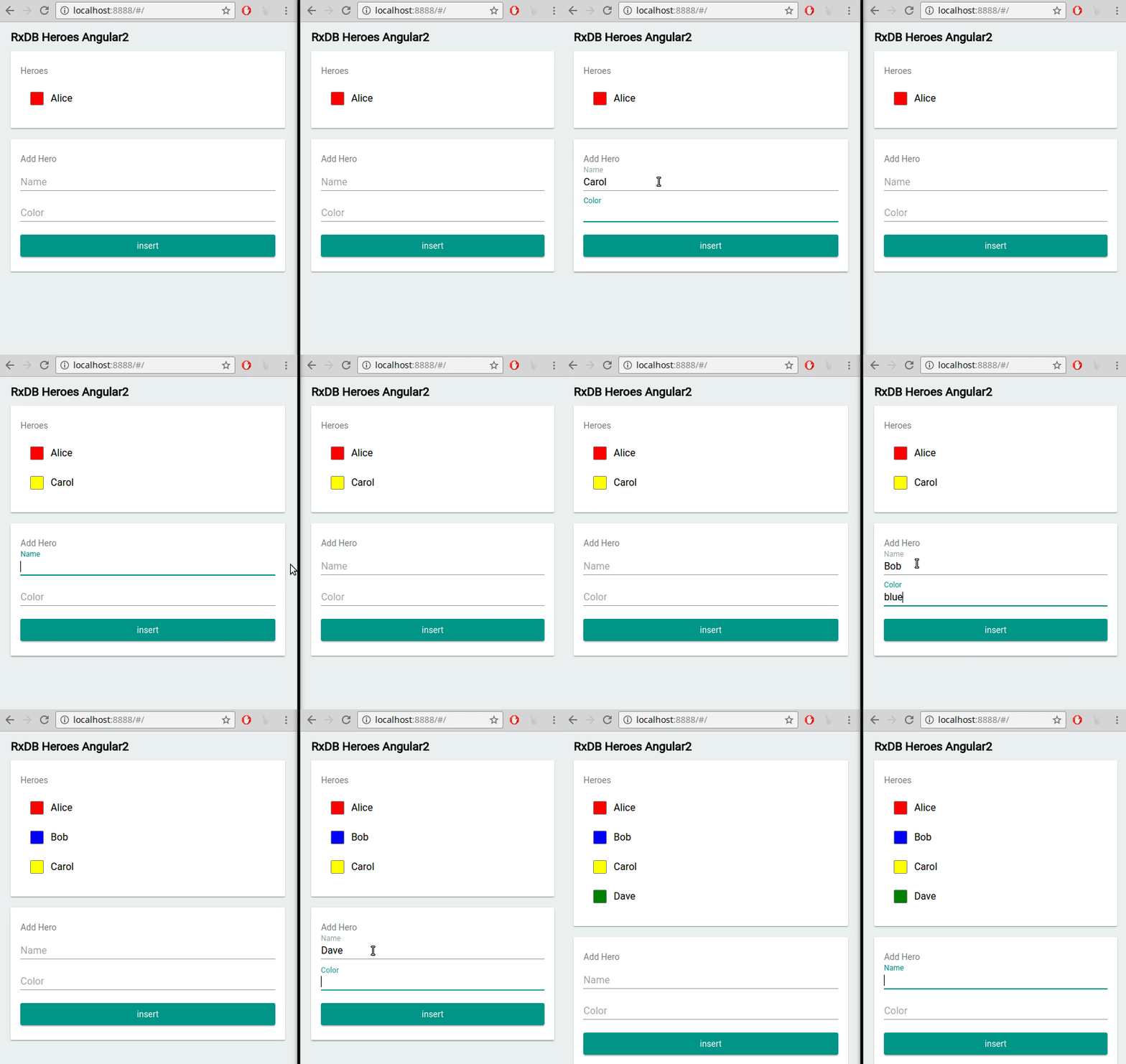
In contrast to push-pull based databases (e.g., MySQL or MongoDB servers), a realtime database contains features which make it easy to build realtime applications. For example with RxDB you can not only fetch query results once, but instead you can subscribe to a query and directly update the HTML dom tree whenever the query has a new result set:
await db.heroes.find({
  selector: {
    healthpoints: {
      $gt: 0
    }
  }
})
.$ // The $ returns an observable that emits whenever the query's result set changes.
.subscribe(aliveHeroes => {
    // Refresh the HTML list each time there are new query results.
    const newContent = aliveHeroes.map(doc => '<li>' + doc.name + '</li>');
    document.getElementById('#myList').innerHTML = newContent;
});

// You can even subscribe to any RxDB document's fields.
myDocument.firstName$.subscribe(newName => console.log('name is: ' + newName));
A competent realtime application is engineered to offer feedback or results swiftly, ideally within milliseconds. A data modification should be processed in under 16 milliseconds (since 1 second divided by 60 frames equals 16.66ms) to ensure users do not perceive any lag from input to visualization. RxDB uses the EventReduce algorithm to stay below that budget. Instead of re-running the query against the storage on every write, EventReduce calculates the new result set from the previous result set plus the change event, using a binary decision tree. This works with limit and skip queries too. But it can never assure fixed response times as a "realtime computing database" would.
The 16ms budget is also the reason why the two other meanings of realtime matter here. A query that has to cross the network can never hit it. This is what the optimistic UI pattern and the local-first architecture are about: the write goes to the local database first, the UI re-renders from local state, and the replication happens in the background.
Managed, Self-Hosted and Local-First Realtime
Three architectures all call themselves realtime, and the word "server-authoritative" covers two of them that behave differently in practice.
Managed realtime backend: a vendor runs the server and you rent access to it. The truth lives in their cloud, the query engine runs there, and you are billed per operation. The Firebase Realtime Database and Firestore work this way.
Self-hosted server-authoritative: your own server, on a VPS, on bare metal, or on a Raspberry Pi in the office, holds the truth. The client keeps a cache. Nothing here is metered by a vendor, and the data stays on hardware you control.
Local-first: the client holds a full database that is the source of truth for the UI. Reads and writes are local and synchronous from the app's point of view, and the replication moves data in the background.
| Property | Managed realtime backend | Self-hosted server-authoritative | Local-first |
|---|---|---|---|
| Source of truth | The vendor's cloud | Your server | The client, reconciled with your server |
| Read latency | Round trip when the cache misses | Round trip when the cache misses | Local storage access |
| Writes while offline | Queued by the SDK, within the vendor's limits | Whatever you implement | Normal writes, persisted locally |
| Query engine | The vendor's cloud, billed per operation | Your server, bounded by your hardware | The device |
| Cost driver | Reads, writes and transferred bytes | The machine you run | The device the user already paid for |
| Scaling ceiling | The vendor's documented limits | Your hardware and your tuning | The client device |
| Data ownership | The vendor's storage | Yours | Yours, on the device and on your server |
Notice that the metering and the lock-in belong to the first column only. They are properties of renting a backend, not of keeping the truth on a server. When you run the server yourself, "server-authoritative" costs you a machine and the latency of a round trip, and nothing else from that list.
The tradeoff is real in all three directions. A local-first database has to ship data to the device, so initial sync, storage limits and conflict handling become your problem. Local-first is not free. It moves the cost from the bill to the design.
RxDB as a Cached Materialized View of Your Backend
The middle column is a valid target, and it is a common one. There are good reasons to keep the server authoritative: access rules that have to be enforced on every read, a dataset that is too large to ship to a browser, or a consistency requirement that no client-side merge can satisfy. Full local-first is then off the table.
RxDB still fits there. Instead of being the source of truth, the local database becomes a cached materialized view of the server state:
- The server owns the data. Your API decides what a given user is allowed to see, and it decides the final state of every write.
- RxDB holds the subset that this user needs, kept current by a pull-only replication over your own change stream.
- The UI reads from the local storage, so reactive queries stay inside the 16ms budget without touching the network.
- Writes go to your API. The accepted state comes back through the same pull stream, so the client never invents a state the server did not confirm.
- Partial sync scopes the view: several replication states for several slices of data, started and stopped as the user navigates.
const replicationState = await replicateRxCollection({
    collection: myRxCollection,
    replicationIdentifier: 'view-of-https://example.com/api/heroes',
    live: true,
    /**
     * No push handler.
     * The server stays the source of truth, so the client
     * only pulls. RxDB skips the server metadata it would
     * otherwise store for local writes.
     */
    pull: {
        handler: pullHandler,
        stream$: pullStream$.asObservable()
    }
});

// Writes go through your API, not through the replication.
async function renameHero(id: string, name: string) {
    await fetch('/api/heroes/' + id, {
        method: 'PATCH',
        headers: { 'Content-Type': 'application/json' },
        body: JSON.stringify({ name })
    });
    // The change comes back on the pull stream and RxDB
    // updates every subscribed query.
}
What you keep in this setup: local queries, reactive UI updates, one connection per client instead of one per view, and multi-tab handling through leader election. What you give up: writes while offline, and a staleness window bounded by how fast your stream delivers changes.
Where the Hosted Realtime Databases Fall Short
The Firebase Realtime Database deserves the credit for making realtime sync normal, and for a small app with a simple JSON tree it still does what it says. But there are documented limits that decide whether it fits, and the numbers are public.
Google itself no longer points new projects at it:
We recommend new customers start with Cloud Firestore.
The documented limits of a single Realtime Database instance (checked 2026-09-10):
- 200,000 simultaneous connections per database instance, and 1,000 writes/second sustained. Beyond that you have to shard your data across multiple database instances by hand.
- 32 levels of maximum nesting depth in the JSON tree, and a key length of 768 bytes.
- 16 MB per write through the SDKs, 256 MB through the REST API, and a maximum single response size of 256 MB.
- The free Spark plan allows 100 simultaneous connections.
The query engine is the harder limit. Google's own comparison page states that with the Realtime Database you can "sort or filter on a property, but not both", while Firestore offers indexed queries with compound sorting and filtering. Anything past a single condition has to be filtered on the client, after downloading the data.
That matters, because downloaded data is what you pay for. On the Blaze plan the Realtime Database is billed at $5 per GB stored and $1 per GB downloaded (Firebase pricing, checked 2026-09-10). A listener attached high up in the JSON tree re-downloads a lot of bytes for a small change, and a client-side filter means you paid for every document you threw away.
So for a new project, do not start on the Firebase Realtime Database. Google points new customers at Firestore instead of it, the query engine pushes filtering back onto the client without giving that client a real database, the scaling ceiling ends in a manual sharding job, and the data lives in one vendor you cannot move away from.
This is not a Google-specific problem. Every managed realtime database shares the same structure: the truth is remote, the queries are metered, and the offline story is a cache. A server you run yourself keeps the first part and drops the rest.
When a Hosted Realtime Backend Still Makes Sense
Be honest about the cases where the hosted option wins:
- You need a backend today. A managed service ships auth, hosting and functions with it. RxDB is a client-side database, and it expects you to have or build an endpoint to sync with.
- The data is not per-user. A public leaderboard or a live dashboard read by many and written by few has little use for a full local database.
- The dataset cannot go to the device. When a single user's working set is measured in gigabytes, or when access rules have to be enforced server-side on every read, keep the query on the server.
- The team is one person and the app is a prototype. Speed to first version is a real argument.
Teams that already run on Firestore do not have to choose at once. RxDB can replicate with Firestore, so the client gets local queries and offline writes while the existing backend stays where it is, which makes the migration incremental instead of a rewrite.
How to Pick a Realtime Database
Check these five things before you commit, in this order:
- The offline behavior. Test it with the network turned off, not with a slow connection. Write, reload the app, and check whether the data is still there.
- Where the query runs. A query that runs on the device is free and fast. A query that runs in the cloud is billed and adds a round trip.
- The conflict handling. Find out what happens when two offline clients edit the same document. "Last write wins" is a decision, so make sure it is yours.
- The cost model. Calculate the bill for the read pattern of your app, not for its storage size. Realtime listeners multiply reads.
- The exit. Check what it takes to move the data somewhere else, and whether the client code survives a backend change. With RxDB, switching storages is a configuration change, not a rewrite, and the backend is behind a handler function you wrote.
What is a realtime database?
A realtime database is a database that pushes data changes to connected clients as they happen, instead of making the clients poll for updates. In modern web development the word does not refer to realtime computing with hard millisecond guarantees, but to push-based replication over a persistent connection such as a WebSocket. Architectures like the RxDB Sync Engine let frontends keep a live, reactive UI state without periodic HTTP polling.
Is a realtime database the same as real-time computing?
No. Real-time computing guarantees a maximum response time and needs a real-time operating system to do it. A realtime database in the web sense guarantees nothing about response times, it only promises that changes are streamed to clients instead of being polled. Any database that runs inside a JavaScript process can be paused by the operating system's scheduler or by garbage collection, so hard guarantees are not possible there.
Should I use the Firebase Realtime Database for a new project?
No. Google's own documentation states "We recommend new customers start with Cloud Firestore", and the documented limits of the Realtime Database are strict: 200,000 simultaneous connections and 1,000 writes/second per instance, 32 levels of nesting, and queries that can sort or filter on a property but not both. Billing at $5/GB stored and $1/GB downloaded rewards small, flat data and punishes client-side filtering. For offline-first apps, RxDB keeps the database on the device and syncs with any backend you choose.
Which database gives real-time data access in a web app without vendor lock-in?
RxDB is a local-first database that stores data in the browser through IndexedDB, OPFS or SQLite and binds live query Observables directly to React, Angular, Vue and Svelte. The DOM updates whenever local or replicated state changes, and the replication works against your own HTTP, GraphQL, CouchDB, MongoDB or WebRTC backend, so the data and the backend stay yours.
Can I use RxDB as a cache in front of my own server instead of going fully local-first?
Yes. When your server has to stay the source of truth, run a pull-only replication and treat the local database as a cached materialized view: reads and reactive queries come from local storage, writes go through your API, and the accepted state comes back on the pull stream. You keep local query speed and reactive UI updates, and you give up offline writes. Partial sync scopes how much of the backend each client holds.
How fast does a realtime database have to be?
For the UI, the target is 16 milliseconds, because 1 second divided by 60 frames is 16.66ms and anything slower is visible as lag. A network round trip does not fit into that budget, which is why realtime apps read from a local database and replicate in the background. For the replication itself, "realtime" in practice means the change reaches other connected devices in the low hundreds of milliseconds, bounded by the network.
What happens to realtime sync when a client goes offline?
The client misses every event that is sent while it is disconnected, so a change stream alone loses data. A replication protocol solves this with checkpoints: the client stores the position it last synced to, and on reconnect it pulls everything that changed since then before it goes back to listening for live events. RxDB does this with a RESYNC cycle, and local writes made while offline are queued and pushed afterwards. Read more about conflicts and revisions.
Do I need WebSockets to build a realtime database?
No. WebSockets are the most common transport, but Server-Sent-Events, long-polling, WebRTC and WebTransport all work, and the comparison of these protocols shows the tradeoffs. In a checkpoint-based protocol the stream only has to signal that something changed, so a simpler transport costs latency instead of correctness.
Follow Up
- Start with the RxDB Quickstart
- Read how the RxDB realtime Sync Engine works
- Compare the realtime transport protocols
- Learn about the downsides of offline-first before you commit
- Look at the Firebase Realtime Database alternative and the Firestore alternative pages
- Join the conversation at RxDB Chat, and leave a star ⭐ at the RxDB GitHub repo

 Ask a question on the forums about What is a realtime...
